
AI Clothes Changer
AI Clothes Changer
Use GenPix AI clothes changer to swap outfits in any photo online. Upload your picture, pick an outfit preset, or add a clothing reference image for a virtual try-on — the face and background stay exactly as they are.
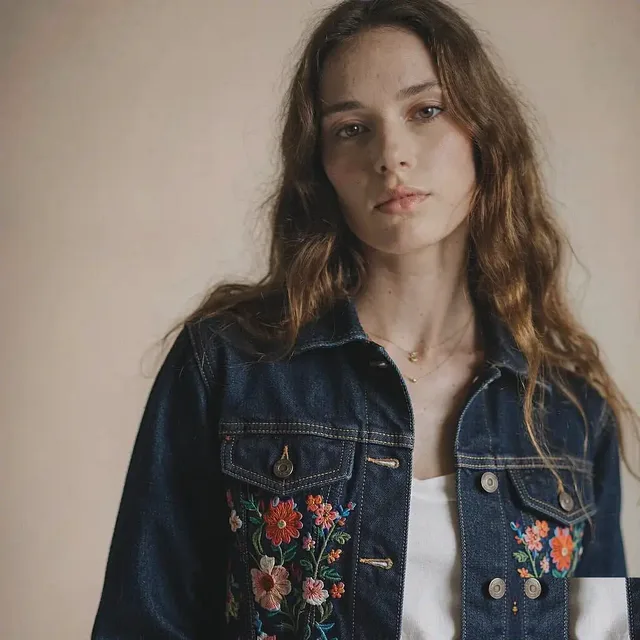
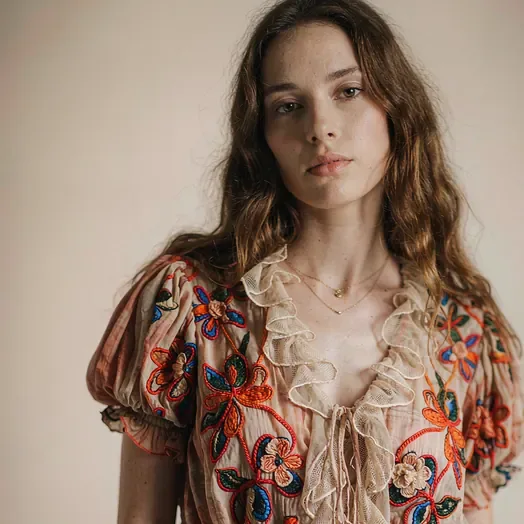
 An embroidered jacket, effortlessly refined
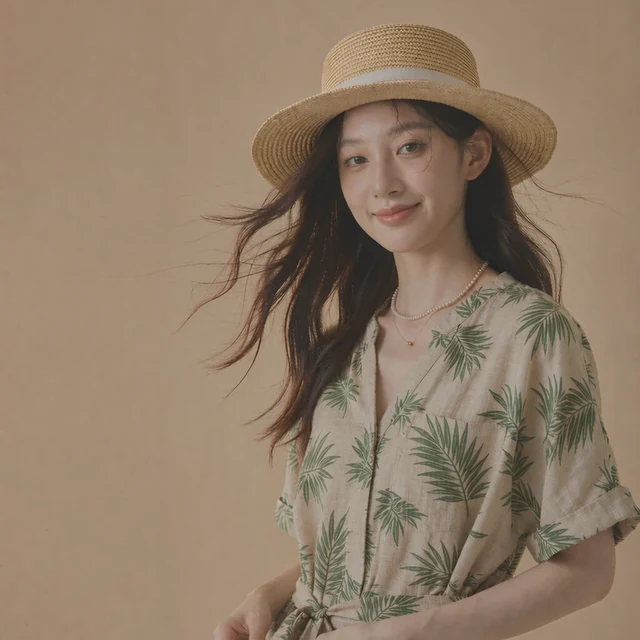
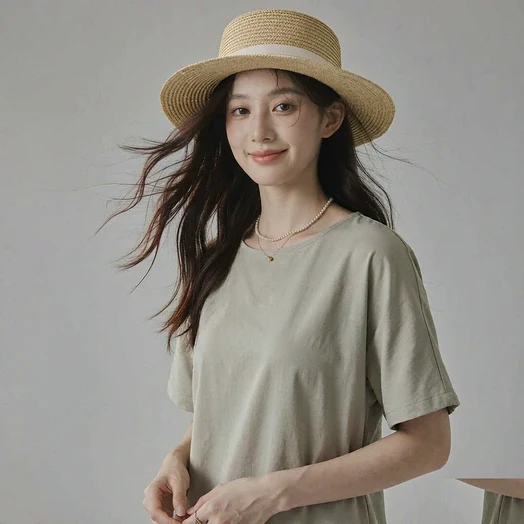
 A resort look in one click
How to use the AI Clothes Changer
GenPix AI clothes changer reads the person and pose in your photo, redraws the clothing, and keeps the face and background untouched in three steps.
Upload a full or half-body photo to the AI Clothes Changer
A clear pose with the clothing area fully visible works best. Add one JPG, PNG, or WebP.
In the AI Clothes Changer, pick a preset, add a reference, or describe
Choose from 9 presets like embroidery, sequins, and denim; upload a clothing reference image to try it on; or describe the cut, colour, and occasion.
Download the new look from the AI Clothes Changer
Compare different outfits, download your favourite, and use it for portraits, product shots, or social posts.
Why use the GenPix AI Clothes Changer
9 AI Clothes Changer outfit presets
Embroidery, Nordic, sequins, sporty, western and more — one click swaps the whole look instead of styling piece by piece.
Try a garment you already own
Have the actual item? Upload a product shot or street-style photo and see that specific piece on you.
The AI Clothes Changer redraws only the clothing
Face, pose and background stay as they are, while the new garment follows the original shape, folds and lighting.
Describe cut, colour and setting
Write the cut, colour and occasion into the prompt — "charcoal suit, meeting room" — for a closer match than presets alone.
For shops and social posts
Results work for product pages, outfit posts and social content, saving a full photo shoot.
No install required
Open it in any browser on desktop, tablet or phone. Nothing to download.
More AI Image Editing Tools
Continue editing the same image with another focused AI tool.


AI Clothes Changer FAQ
Answers about the result quality, photo selection, outfit styles, and privacy.
Will the AI Clothes Changer alter my face or pose?
No. Only the clothing area is redrawn — the face, pose, and background stay as they are, with the new outfit matched to the original lighting. AI Clothes Changer swaps the outfit and keeps your pose and face intact.
What kind of photo works best with the AI Clothes Changer?
A full or half-body shot with a natural pose and the clothing fully visible. Heavily covered or blurry clothing reduces the detail the AI can work with. You can compare several looks in one AI Clothes Changer session.
Which outfit styles can I choose in the AI Clothes Changer?
Nine presets are available: embroidery, Nordic, sequins, sporty, western, colorblock, paisley, resort, and denim. You can also upload a clothing reference image for a virtual try-on, or describe the cut, colour, and occasion in the prompt. AI Clothes Changer works best on a front-facing photo with the body fully visible.
Can I use the result on e-commerce or social platforms?
Yes. The generated images suit portraits, outfit sharing, social content, and product showcases. Every AI Clothes Changer run returns a new file and keeps the original.
What happens to the photo I upload?
It's stored so the model can fetch it and so the run stays in your library. It's private to your account and never appears in the public gallery. Uploads to AI Clothes Changer stay private to your account.
Can the AI Clothes Changer try multiple outfits on one person?
Yes. Generate as many versions as you like from the same photo, one style per run, and compare the looks side by side. The AI Clothes Changer output downloads at full resolution.
Can I change just the top or just the bottoms?
Yes. State it in the prompt — "change only the top, keep the trousers" — and the model preserves whatever you leave out. Pairing that with a garment reference for the single piece reduces the chance of the whole outfit shifting.
How is the AI Clothes Changer different from virtual try-on?
Virtual try-on usually needs a matched product shot and model image from the retailer. Here you can use your own everyday photo, or upload any garment reference to try that specific piece.
Choose your credit pack
One-time purchase. Credits are valid for one year and never auto-renew.
Lite
Includes
- 600 credits, valid for 1 year
- Up to 600 images (1 credit each)
- No watermark
- Image and video generation
- All image and video models
- Free download, commercial license
Pro
Includes
- 1,500 credits, valid for 1 year
- Up to 1,500 images (1 credit each)
- No watermark
- Image and video generation
- All image and video models
- Free download, commercial license
UltraPopular
Includes
- 3,500 credits, valid for 1 year
- Up to 3,500 images (1 credit each)
- No watermark
- Image and video generation
- All image and video models
- Free download, commercial license
Create Your First AI Outfit Change
Upload one photo and try business suits, casual looks, streetwear, and formal gowns with GenPix AI clothes changer — no fitting room required.